
Turning a Silent App Into One Users Talk To / Animated Mascot Design
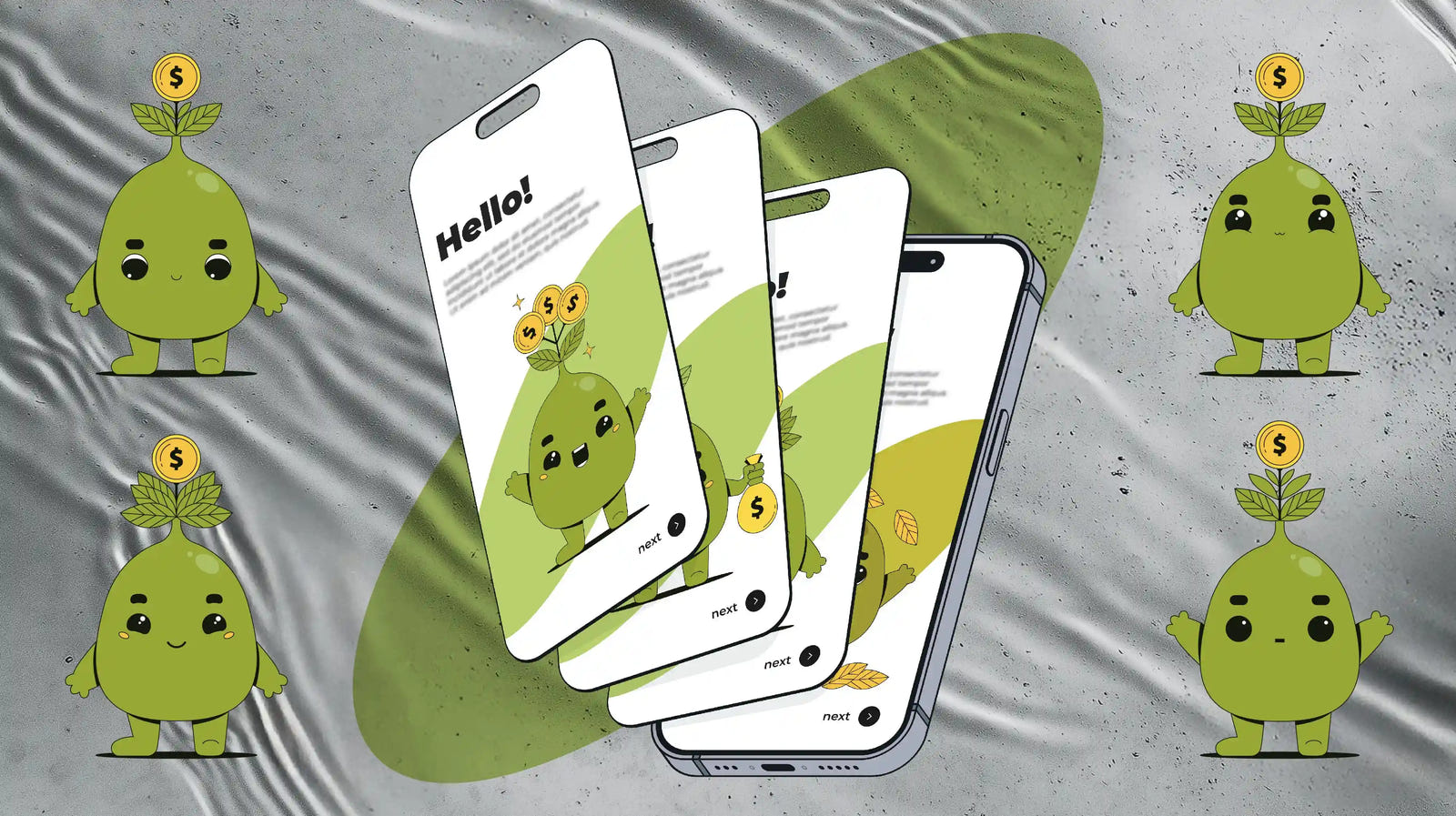
This project turned a static finance app into a character-driven experience, built around a friendly "money tree" mascot inspired by Duolingo's owl.
The real challenge was making it feel alive, not like a static sticker. We built its personality through Lottie animations: idle states, emotions, talking, and marker-based transitions, down to a glowing phone screen.
The work spanned two stages. Stage 1 delivered the character and core animation set. The client came back for Stage 2 to expand the mascot's pose library with "listening" and "getting up."
Stage 1 - The Brief
- The client came with vibes, not a spec: two reference animations that captured the character and the emotional feel he wanted.
- The task was to reverse-engineer what he loved into an original character - one built to boost engagement and make the app feel more human, not just look good.

FIVE DIRECTIONS
A mascot has to do more than look cute: it needs to show emotion as the user's finances change. We explored five directions (a money tree, piggy bank, wallet, coin, and banknote) to find which could carry that range.
The money tree won because it changes with the user. It grows, blooms with coins, wilts, or drops its leaves, an emotional range no static object can show.

FINDING THE LOOK
We tested the palette for real-world displays: shades of green that stay fresh and readable across different devices, brightness levels, and light or dark app themes.
After several rounds of pose and color variations, the final palette was locked in: #97A836 / #F9D949 / #14180C.

POSES, EMOTIONS & Talking
A single static image can't react to what users do. So we built a set of core poses and emotional states the app can switch between depending on the moment.
We also designed a talking version: the mouth became a separate, animated element instead of a painted-on smile, so the character can "speak" to users in onboarding, tips, and notifications.
MARKERS & LOTTIE
To make the mascot easy to control inside the app, we split the animation into states using named markers, labels that tell the code exactly which part to play. All of it lives in one Lottie file:
- Idle — the character's calm loop when the user isn't interacting.
- Reacting — an emotional burst when the user taps a button or completes an action.
- Talking — the character speaks during tips and onboarding.
For the client's developers, this means no separate files and no hunting for frame numbers. They call a state by its name in the code, and the app plays that exact part of the animation. New states can be added later the same way.

Stage 2 - MORE POSES, MORE MOMENTS
As the app grew, one set of states was no longer enough. The client returned to expand the mascot's range with two new poses: Listening, where the character leans in with a hand to its ear, and Getting Up, a transition from resting on a cushion to its neutral stance.
Both went through full sketch sequences before the final render, so every movement was approved before animation began.

THE GLOWING SCREEN
In the Getting Up pose, the character sits scrolling its phone, and the screen had to glow. In After Effects that's one click. In Lottie, it's a real challenge: the format doesn't support effects like Glow, and what looks perfect in After Effects can disappear or break once exported.
So we built the glow without effects and tested it directly in the Lottie format, checking frame by frame how it would actually render in the app. The result: a screen that feels lit, in a file that stays light and works on every device.
Both new poses were delivered with named markers too, so the developers could plug them straight into the app alongside the original states.

PROJECT SCOPE
The Results
One Lottie file with named states the developers call by name. Two stages: the client came back on his own to expand the pose library. New states can be added the same way.
Client Quote
Thank you for the work really happy with everything!
Ebubekir Ates
FinTech App, EU
Ready for Results Design?
From Visuals to Measurable Business Results
More real examples

Pro Max Exteriors
A SCALABLE CROSS-CHANNEL DESIGN SYSTEM
Visual Icons Identity & Canva System
Operating with a fragmented DIY visual identity, Pro Max Exteriors needed a unified cross-channel presence. Through an audit-first strategy, we engineered custom iconography based on their logo geometry and delivered a modular Canva ecosystem for complete content autonomy.

Furniture Stores
60 custom line icons for Fosters Mattress
UI Design & Graphic Design
Fosters Mattress, an established retailer, needed to improve the usability and professionalism of their large product catalog. They reached out to us to replace generic symbols with...

Cybersecurity Company
A cohesive visual identity for a cybersecurity website
Design for Web & Custom Graphic Design & AI-powered Creative
A client built his website using a site builder and stock visuals. He reached out to us after discovering ...